
Expense Reports
Expense reports can be run on the Expenses page:
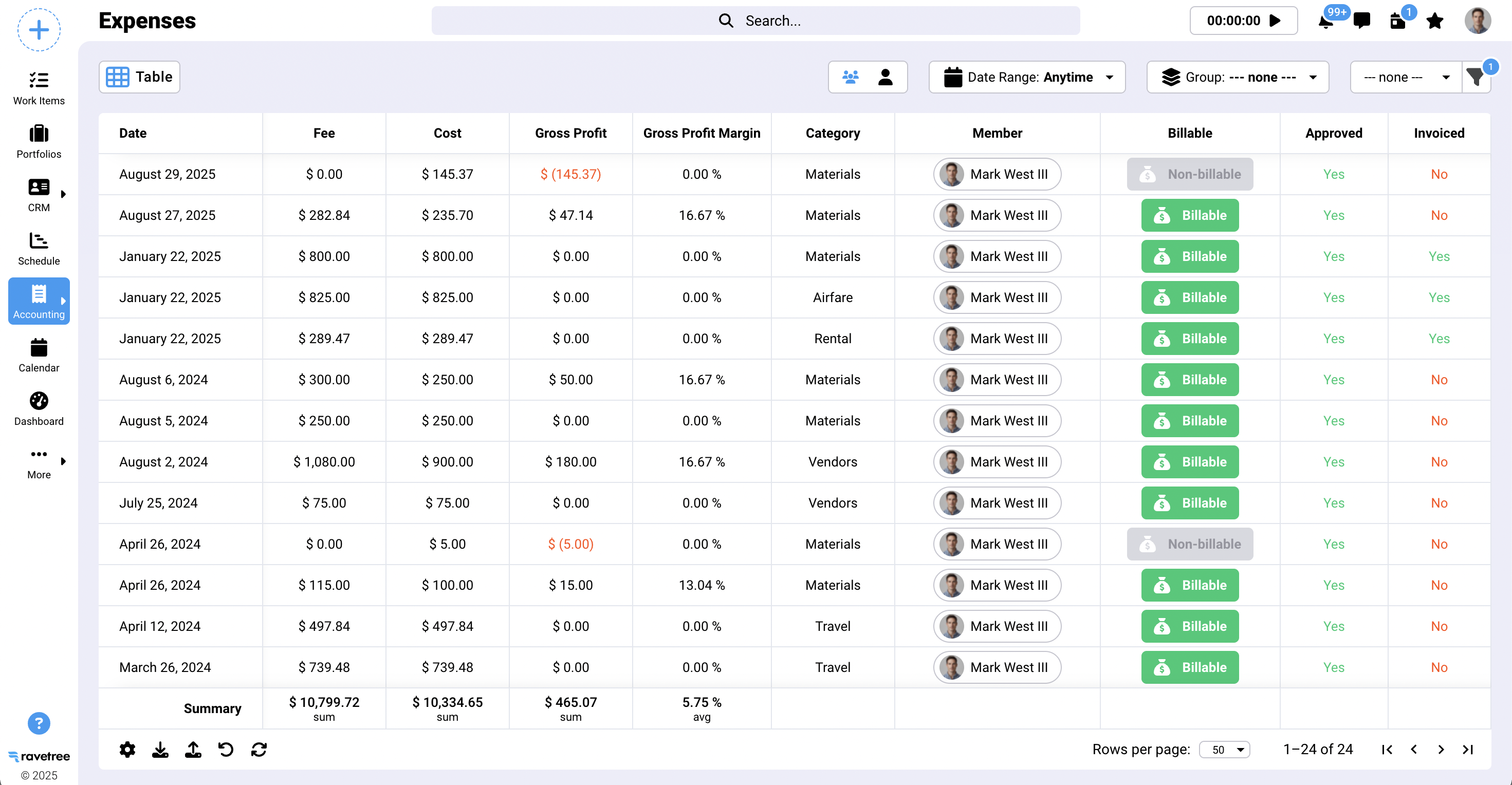
The table columns can be customized by clicking on the cog icon in the lower left corner of the table. There are a variety of filters that can be applied by clicking on the filter icon in the upper right. Expense reports can be exported by clicking on the export icon in the lower left of the table.
You can also view expenses and run similar reports on the following pages:
- Work Item / Accounting / Expenses
- Retainer / Expenses
- Manager / Expense
Groupings
Expenses can be grouped in a number of different ways, as shown below where the expenses are grouped by Member.
